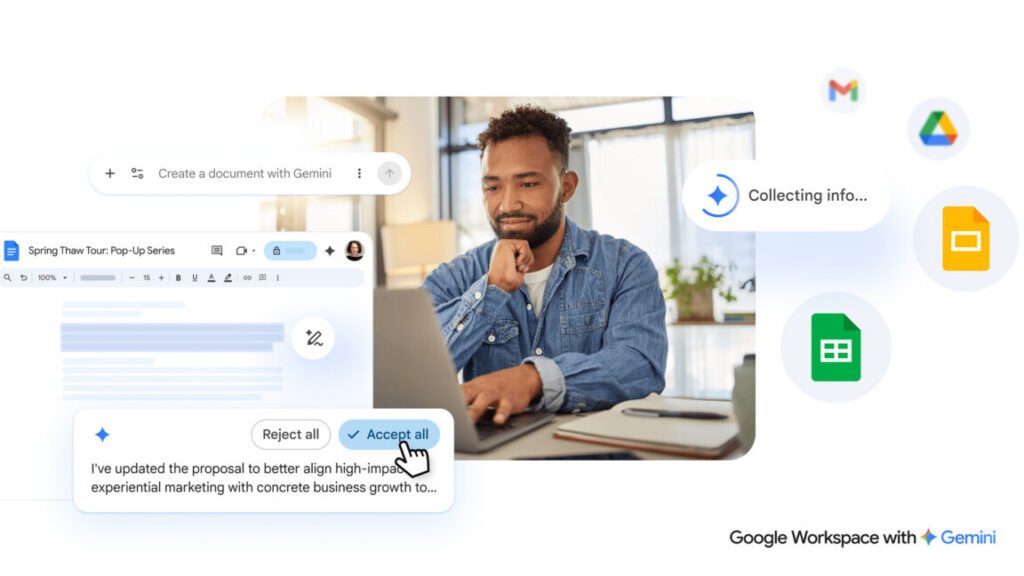

Google is doubling down on Gemini inside Workspace, and honestly, it’s about time they refined the approach. The initial AI features felt bolted on, but this overhaul aims to make Gemini feel like a native part of Docs, Sheets, Slides, and Drive.
The headline feature is the death of the blank page. When you create a new Doc, you’re greeted with a chatbot-style text box at the bottom instead of the usual empty canvas. Type what you need, and Gemini spits out a first draft. It can also pull context from your Gmail, Google Chat, other documents, and even the web. This isn’t just a glorified autocomplete — it’s trying to be a co-writer that already knows your history.
Style matching is another addition that I find genuinely useful. If multiple people are editing a document, Gemini can match the tone and formatting of existing text. No more awkward transitions between a formal intro and a casual middle section. It’s a small thing, but it fixes a pain point that’s been around since collaborative editing became standard.
Sheets and Slides aren’t left out. Gemini can generate chart suggestions, summarize data trends, and even create slide decks from a simple prompt. The demos look slick, but I’ve seen enough AI slide generators to know the output often needs heavy manual tweaking. Still, if it saves you from starting with a blank presentation, that’s a win.
One thing Google is careful to note: all suggestions are private until you approve them. That’s a smart move given the enterprise focus. Nobody wants their draft leaks because the AI decided to share context it shouldn’t have.
Of course, the cynical take is that Google is pushing this because it needs you locked into its ecosystem. The more context Gemini has — your emails, your docs, your chats — the better it works, and the harder it is to leave. But if you’re already all-in on Workspace, these features genuinely reduce friction.
Is this the end of human creativity in documents? No. But it might be the end of staring at a blinking cursor for ten minutes. I’ll take that trade.
Comments (0)
Login Log in to comment.
Be the first to comment!