
Hugging Face just added DeepInfra to its growing list of Inference Providers, and honestly, this is a pretty big deal if you do any serious work with open-weight models.
DeepInfra isn’t new to the game. They’ve been running a serverless inference platform that’s known for being aggressively cost-effective per token. With over 100 models in their catalog, they cover everything from LLMs to text-to-image, text-to-video, and embeddings. What’s interesting is that for this initial integration, they’re starting with conversational and text-generation tasks only. So you get access to popular open-weight LLMs like DeepSeek V4, Kimi-K2.6, GLM-5.1, and others right from the Hub. They’ve promised support for additional tasks like text-to-image and video soon, but that’s not here yet.
How the integration works
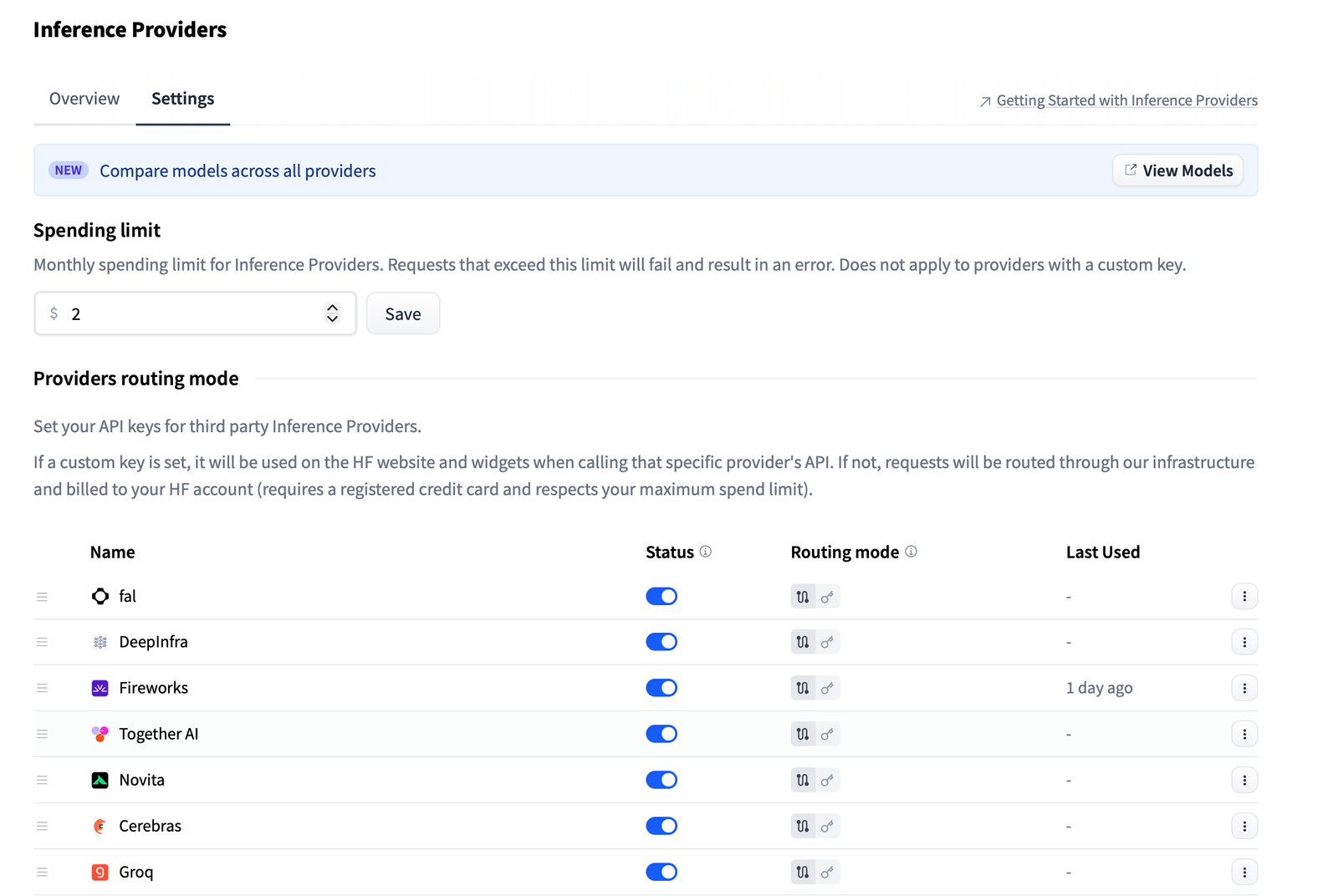
There are two ways to use DeepInfra through Hugging Face, depending on how you want to handle billing.
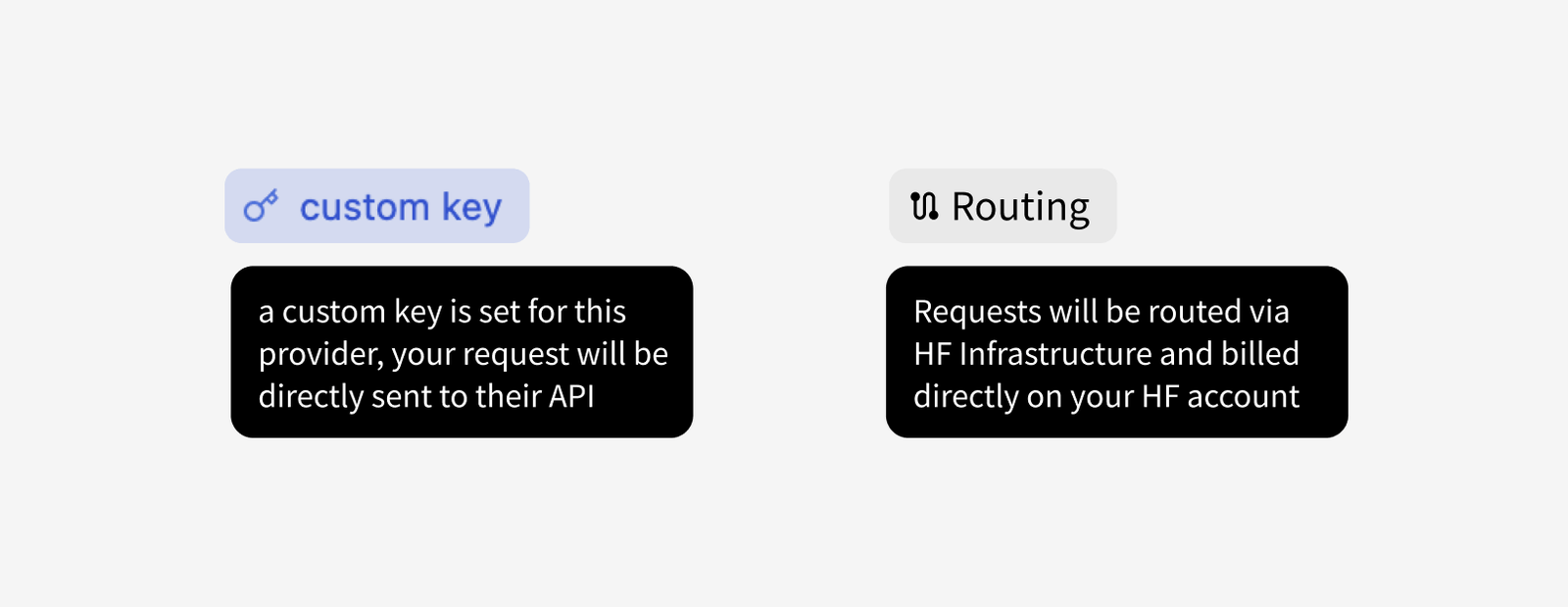
The first option is the custom key mode. You go sign up for DeepInfra directly, grab an API key, and plug it into your Hugging Face account settings. Your requests go straight to DeepInfra, and you get billed on your DeepInfra account. No middleman.
The second option is routed by Hugging Face. This is where it gets interesting. You don’t need a DeepInfra token at all. Just authenticate with your Hugging Face token, and the request gets routed through HF to DeepInfra. The billing happens on your Hugging Face account, and they claim no markup – you pay exactly what the provider charges. They mention they might add revenue-sharing agreements in the future, but for now it’s pass-through pricing.
SDK support and code examples
If you’re using the Hugging Face SDKs, the integration is seamless. You need huggingface_hub >= 1.11.2 for Python or @huggingface/inference for JavaScript. The model identifier format is straightforward: model-name:deepinfra. Here’s a quick Python example using the OpenAI-compatible client:
import os
from openai import OpenAI

client = OpenAI(
    base_url="https://router.huggingface.co/v1",
    api_key=os.environ["HF_TOKEN"],
)

completion = client.chat.completions.create(
    model="deepseek-ai/DeepSeek-V4-Pro:deepinfra",
    messages=[
        {
            "role": "user",
            "content": "Write a Python function that returns the nth Fibonacci number using memoization."
        }
    ],
)

print(completion.choices[0].message)
And the JS equivalent:
import { OpenAI } from "openai";

const client = new OpenAI({
    baseURL: "https://router.huggingface.co/v1",
    apiKey: process.env.HF_TOKEN,
});

const chatCompletion = await client.chat.completions.create({
    model: "deepseek-ai/DeepSeek-V4-Pro:deepinfra",
    messages: [
        {
            role: "user",
            content: "Write a Python function that returns the nth Fibonacci number using memoization.",
        },
    ],
});

console.log(chatCompletion.choices[0].message);
Agent harness integrations
One thing I genuinely appreciate is that Hugging Face Inference Providers are already baked into most agent harnesses – Pi, OpenCode, Hermes Agents, OpenClaw, and more. No extra glue code needed. You just pick your provider and go. That’s the kind of ecosystem thinking that actually saves developer time.
Billing and free tier
For routed requests, Hugging Face PRO users get $2 worth of Inference credits every month, usable across any provider. Free users get a small quota too, but honestly, if you’re doing anything serious, the PRO plan is worth it for the higher limits alone.
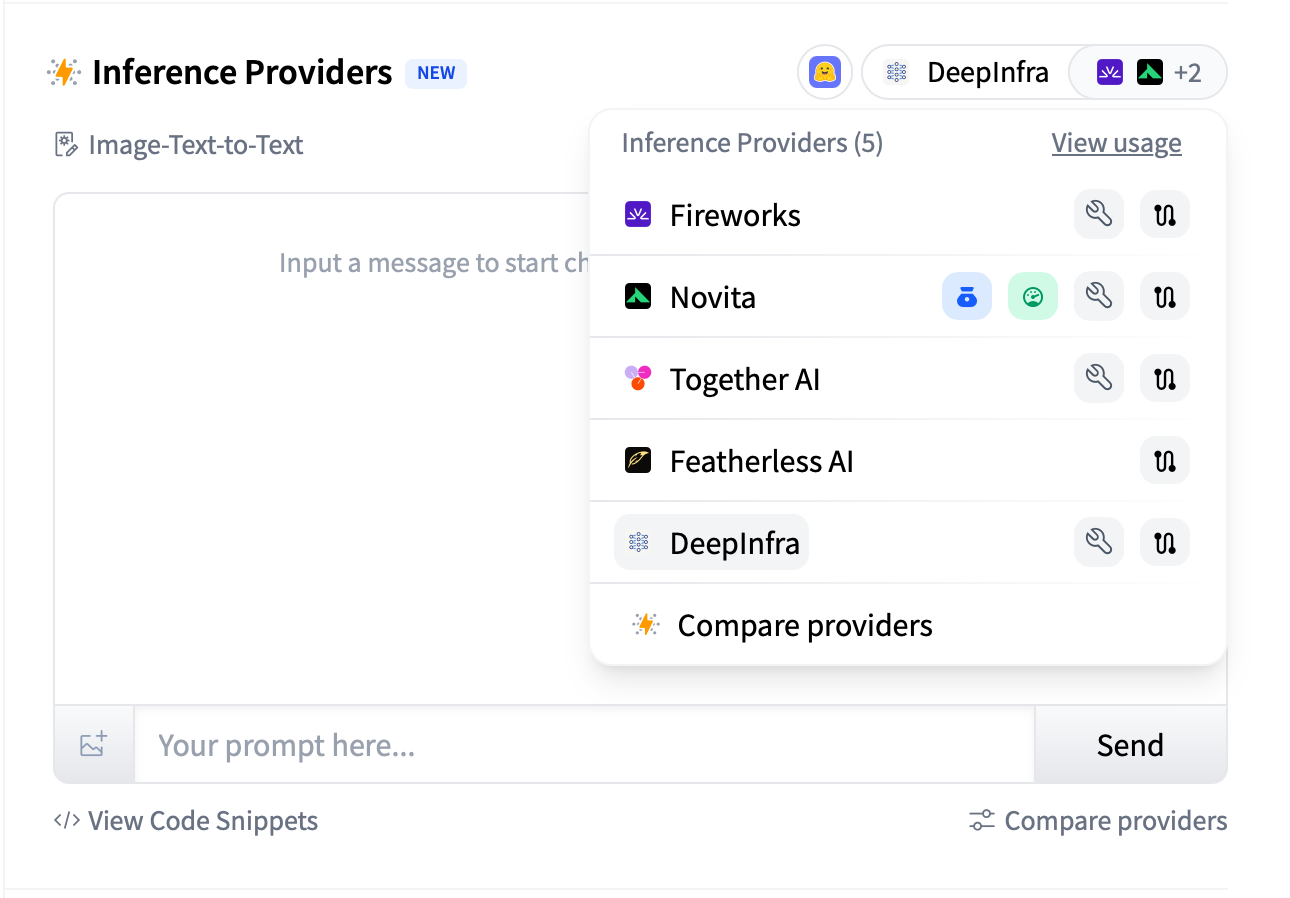
The model page widget now shows third-party inference providers sorted by your preference. You can reorder them in settings, which is nice if you have multiple providers and want to prioritize the cheapest or fastest one.
My take
This is a solid addition. DeepInfra’s pricing is genuinely competitive, and the fact that Hugging Face is building out a proper provider marketplace rather than locking everyone into their own inference is the right move. My only gripe is that the initial task support is limited to text generation. If you were hoping to use DeepInfra for embeddings or image generation right now, you’ll have to wait. But given their catalog, I expect the rollout to be quick.
If you want to try it out, head to your Hugging Face account settings, add a DeepInfra API key if you have one, or just use the routed mode with your HF token. Check the full list of supported models on DeepInfra’s Hugging Face page.
Comments (0)
Login Log in to comment.
Be the first to comment!