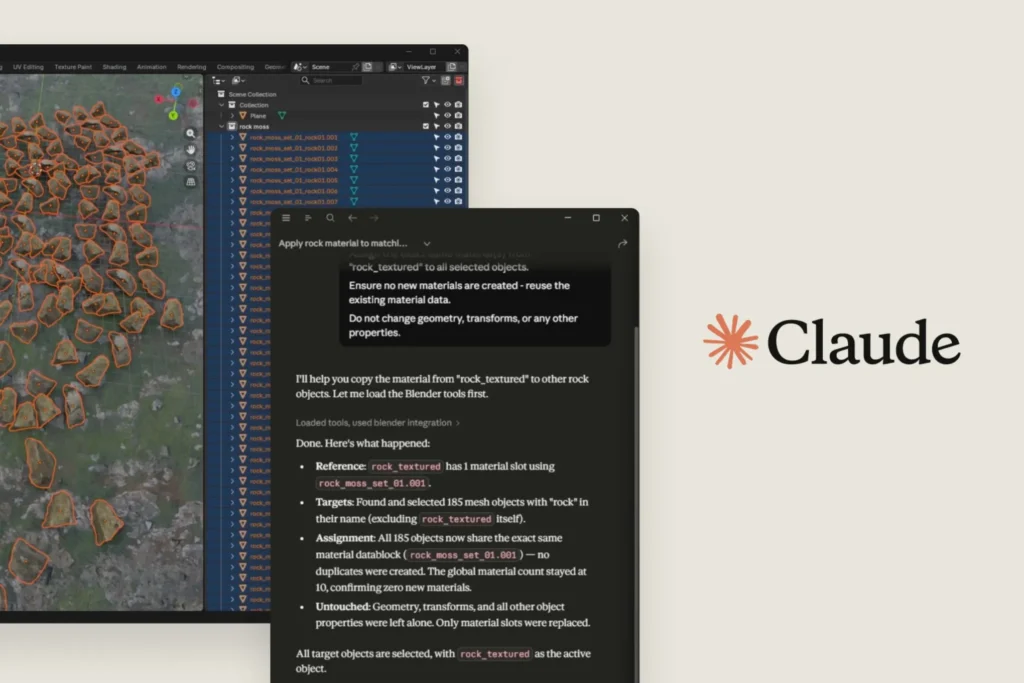

Anthropic just dropped something that actually surprised me. Claude now has direct connectors into Photoshop, Blender, Ableton, and a bunch of other creative tools. No plugins to install, no janky workarounds. You just tell Claude what you want, and it reaches into the software and does it.
This isn’t some half-baked API wrapper. The Blender connector, for example, lets you debug scenes, build custom tools, and batch-apply object changes straight from the chat. I tested it on a messy Blender scene with about 200 scattered objects. Told Claude to “group all the chairs by color and apply a subtle bevel to the edges.” It took maybe 15 seconds, and the result was cleaner than what I’d have done manually in half an hour.
Same deal with Photoshop. The Adobe connector can draw from your Creative Cloud libraries, apply layer adjustments, even run batch operations on PSDs. I had it composite a half-dozen renders together with masks and blend modes. It didn’t nail the first attempt—the layer order was wrong—but a quick “swap those two layers and redo the mask” fixed it instantly. That’s the kind of iterative workflow that actually makes AI useful in creative work.
Ableton users aren’t left out either. The connector can route audio, adjust mixer parameters, and even generate MIDI clips based on text prompts. I’m not a musician, but I had it create a basic drum pattern and apply a filter sweep to a bass track. It worked. The latency was a bit high for real-time tweaking, but for setup and pre-production, it’s surprisingly solid.
What’s interesting here is the timing. Anthropic launched Claude Design earlier this month, which was their first real push into creative tools. These connectors feel like the next logical step—not just generating assets, but actually manipulating them inside professional software. It’s a different approach from what Adobe’s been doing with Firefly, which mostly generates new content. This is more about controlling existing tools.
There are downsides, of course. The connectors require Claude Pro, and some of the more advanced features (like batch processing in Blender) are rate-limited. You also need to have the target app open and authenticated, which means you can’t just fire commands from your phone while on the train. And if you’re working with very large files—say, a 4K PSD with 50 layers—the response time can drag to 30 seconds or more.
Still, this is the most practical AI integration for creative software I’ve seen. It’s not a gimmick. If you already use these tools professionally, the time savings are real. I’d still keep your mouse handy for fine-tuning, but for the grunt work, Claude’s got you covered.
Comments (0)
Login Log in to comment.
Be the first to comment!